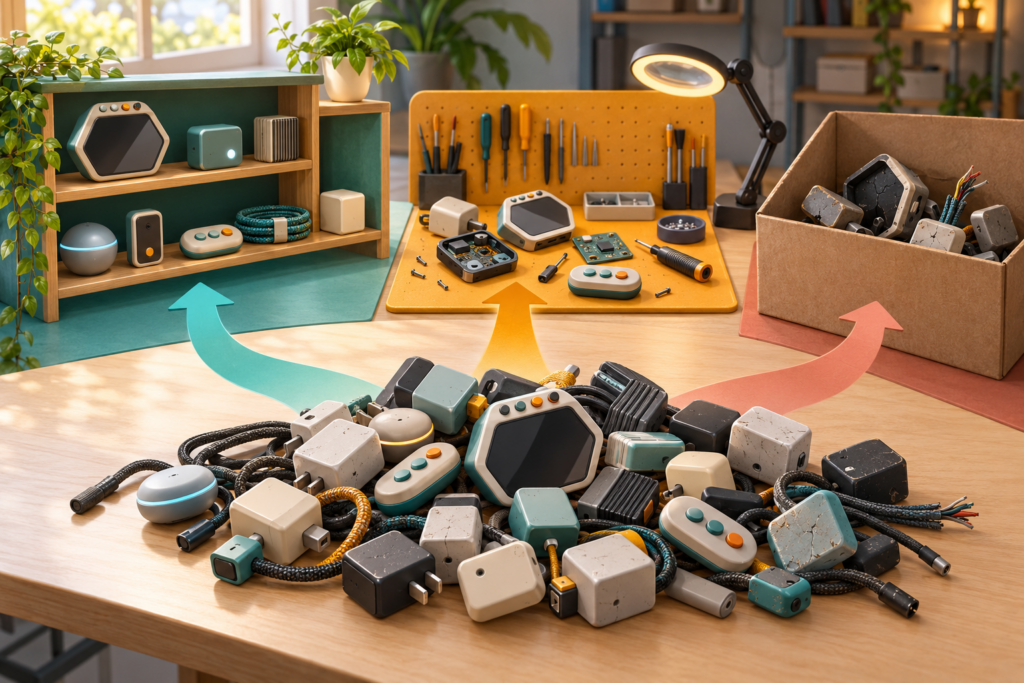
International E-Waste Day lands on October 14, and this year’s focus is “Fast Tech,” the small cables, adapters, accessories, and electronic odds and ends that are easy to buy and even easier to forget. A retro-gaming drawer can become a museum of that stuff without anyone issuing it a charter.
My recommendation is to sort old gaming gear into three routes before anything leaves the house: reuse, repair, or responsible recycling. A working cable should not enter the waste stream. A repairable controller should not become a parts grenade. A dead device with a battery should never go into household trash or a curbside recycling bin.
Start with three routes, not one box
The International Telecommunication Union’s 2026 International E-Waste Day page explains the October 14 event and its focus on Fast Tech, the rapid disposal of small electronic devices before the end of their useful life. Charging cables, USB adapters, earphones, and other small electronics fit the theme. Gaming drawers have close cousins in every category.
Put a clean table between the drawer and the recycling box. Make three temporary areas:
- Reuse: the item works, has a clear purpose, and can be identified.
- Repair: the item has one reproducible fault and a safe, documented repair path.
- Recycle: the item is dead, unsafe, unsupported, or not sensible to repair.
Do not create a fourth pile called “decide later.” That pile already has a drawer.
Prove a reusable item with one safe test
Identify the connector and device before applying power. A cable that merely fits can still use the wrong wiring or voltage. Use the original label, manual, or manufacturer support page to confirm its job. If you cannot identify an adapter, do not test it by trying every socket in the room.
For a passive video or controller cable, inspect for bent pins, crushed insulation, corrosion, and loose strain relief. For a powered accessory, check the case, cord, and battery area for heat damage, swelling, leaks, cracks, or an unusual odor. Stop if any of those appear.
A working item needs a label before it returns to storage. Name the system or device, the connector, and any unusual voltage or polarity information already printed by the manufacturer. Pair proprietary receivers with their controllers. One small bag per odd adapter is cheaper than solving the same puzzle next October.
Give repairable gear one documented chance
Repair starts with a symptom, not a screwdriver. “Left direction repeats” is useful. “Controller is weird” is a mood. Confirm the fault on a known working port or device, record what changes, and check for an exact service guide before opening anything.
The NerdHobbies guide to taking a dead controller to a repair event explains what to bring and why one reproducible fault is enough. Use that route when the device is safe to transport and the organizer accepts small electronics. Battery swelling, leaking, unusual heat, or physical damage skips the community workbench and goes to official safety guidance.
Set a real boundary. If the exact part is unavailable, the board is badly corroded, the repair requires skill you do not have, or the device has sat through two abandoned attempts, choose a qualified shop, parts donation, or recycling. Sentiment can justify careful storage. It does not justify an unlabeled bin of exposed circuit boards.
A battery creates its own route
The EPA’s 2026 battery collection guidance explains why batteries do not belong in trash or curbside recycling: collection and sorting equipment can crush or puncture them, creating fire risks for workers and facilities. The report covers several battery chemistries and collection approaches, so the safe destination depends on the battery and local program.
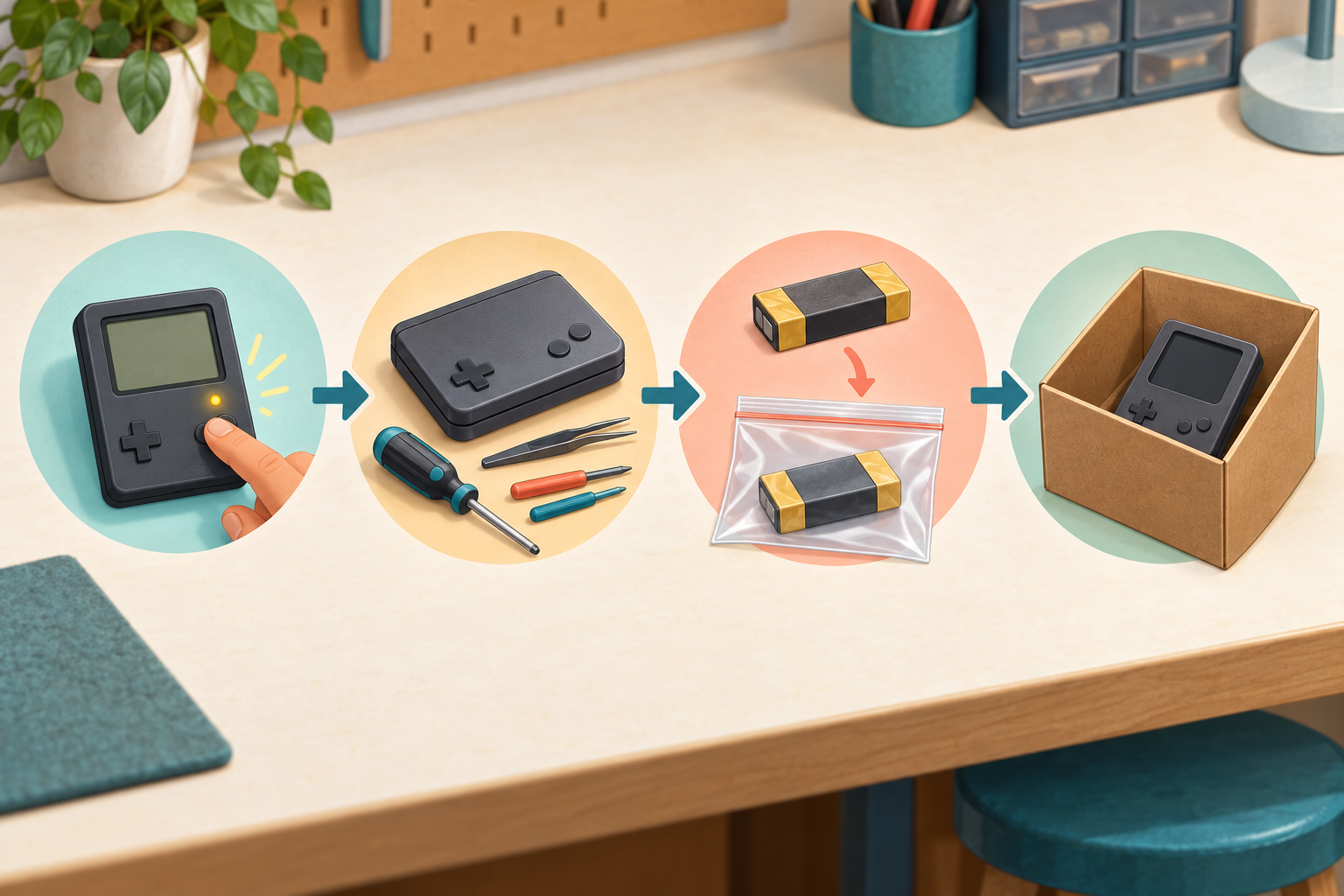
For a normal loose household battery that the product was designed for the user to remove, the EPA’s consumer battery guidance says to place each battery in a separate plastic bag or cover its terminals with non-conductive tape. It also says a device with a non-removable battery can go intact to a certified electronics recycler, participating retailer, or local electronics or household hazardous-waste program.
A roll of non-conductive electrical tape is useful for exposed terminals on normal loose batteries when your local program instructs you to tape them. Do not wrap a hot, swollen, leaking, or damaged pack and assume the problem is solved. Contact the manufacturer or local household hazardous-waste authority for specific handling instructions.
Small clear zipper bags can isolate ordinary loose batteries or keep a proprietary receiver with a reusable controller. Keep the jobs separate, label the bags, and follow the collection site’s rules. A bag is containment for transport, not long-term permission to stockpile cells.
Protect saves and accounts before release
A handheld, mini PC, memory card, or smart accessory may hold save files, network details, photos, or account tokens. The EPA’s electronics donation and recycling page advises deleting personal information before donation or recycling and checking local facilities for battery handling.
Back up files you are entitled to keep, sign out through the device’s documented process, remove user-removable storage, and perform the manufacturer-supported reset. Confirm that the reset completed before donation. If the device will not power on, tell the recycler it contains storage and ask about data-destruction practices rather than opening a battery device to reach a chip.
Game ownership does not transfer merely because a device changes hands. Remove accounts and licenses according to the platform holder’s rules. Keep physical media, receipts, and serial-number records that belong with your collection.
Choose a recycler you can verify
“Electronics accepted” on a random sign is not enough. Ask what the site accepts, whether batteries must be separated, how damaged items are handled, and where collected electronics go. Local rules differ, so check the official municipal, state, retailer, or manufacturer route before driving over.
The EPA’s certified electronics recycler guidance identifies R2 and e-Stewards as the two accredited certification standards used in the United States. Certification is facility-specific. Verify the actual location that will handle the equipment, especially when a company operates several sites.
Keep batteries and devices out of unattended donation bins unless the program explicitly accepts them. Do not mail a lithium battery through an ordinary returns box. Transportation rules and damaged-battery procedures are not optional side quests.
Finish the drawer, not just the easy half
Take the reuse items back to one labeled location. Put the repair items into individual containers with the symptom and next action. Deliver the recycling group to the verified collection route without delay. Photograph the final labels if that helps you avoid buying the same adapter again.
If a cartridge battery is the problem, use the NerdHobbies guide to checking the battery pack before replacement. Coin cells and rechargeable packs need different handling, and the shiny round shape is not a complete specification.
My old-gaming-gear rule is simple: working gear earns reuse, one clear fault earns a repair decision, and truly dead electronics go to a verified collection route with the battery handled separately when the manufacturer and local program say it is user-removable.
Clear the drawer, keep the useful weird cables.
Mike, aka Gamer Dude