GOG added another 2000s PC classic to its Preservation Program on August 18, complete with a technical update for modern displays and current PCs. That is good preservation work. It is not the same thing as having your own backup.
My recommendation is to download the offline backup installers for every GOG classic you care about, keep the complete file set together, and follow a simple 3-2-1 plan: three copies, on two kinds of storage, with one copy away from your main PC. Test one installer before you call the job finished. A library page is convenient. A verified copy you control is a backup.
The preservation badge solves a different problem
The August 18 GOG Preservation Program announcement describes a substantial compatibility update for a 2003 release. GOG says its team built a lightweight wrapper and added controls for modern display behavior. That is the platform doing the compatibility work that an old PC game often needs.
GOG defines the Preservation Program as a commitment to test, improve, and maintain selected classics on modern systems. The program page also makes a useful distinction: a classic outside the program is not automatically worse. It may simply be waiting for the same testing and confirmation.
Your backup has another job. It protects your access to the exact installer and extras you downloaded, even if the gaming PC is offline or your normal launcher is unavailable. Compatibility maintenance and personal file redundancy work together, but one cannot replace the other.
Download the offline set, not only the launcher install
Open your GOG library in a browser, select the game, and choose the offline backup game installers. GOG's offline installer documentation explains that these packages are generated and published to the game library. Download every numbered installer part, plus the language pack or operating-system version you actually use.
Put the files in one clearly named folder. I would include the game name and download date in the folder name, then add a plain text note listing the source account, operating system, and any bonus files saved with it. Do not rename individual installer parts. A tidy archive beats a folder full of files called setup, setup-new, and setup-final-for-real.
Save the current support note or release note beside the installer when it explains a required step. Record the total number of installer parts and the size shown by your computer. Those details are not a substitute for testing, but they make an incomplete copy easier to spot. If the game later receives a compatibility update, the dated folders also tell you which archive came before the change.
Keep the archive private. An offline installer is a convenient way to preserve a lawful purchase for your own use, not an invitation to upload it or pass copies around. The site's emulation and copyright policy applies the same practical rule to the rest of a retro library: use material you are authorized to use and do not distribute protected files.
Use 3-2-1 without turning the desk into a data center
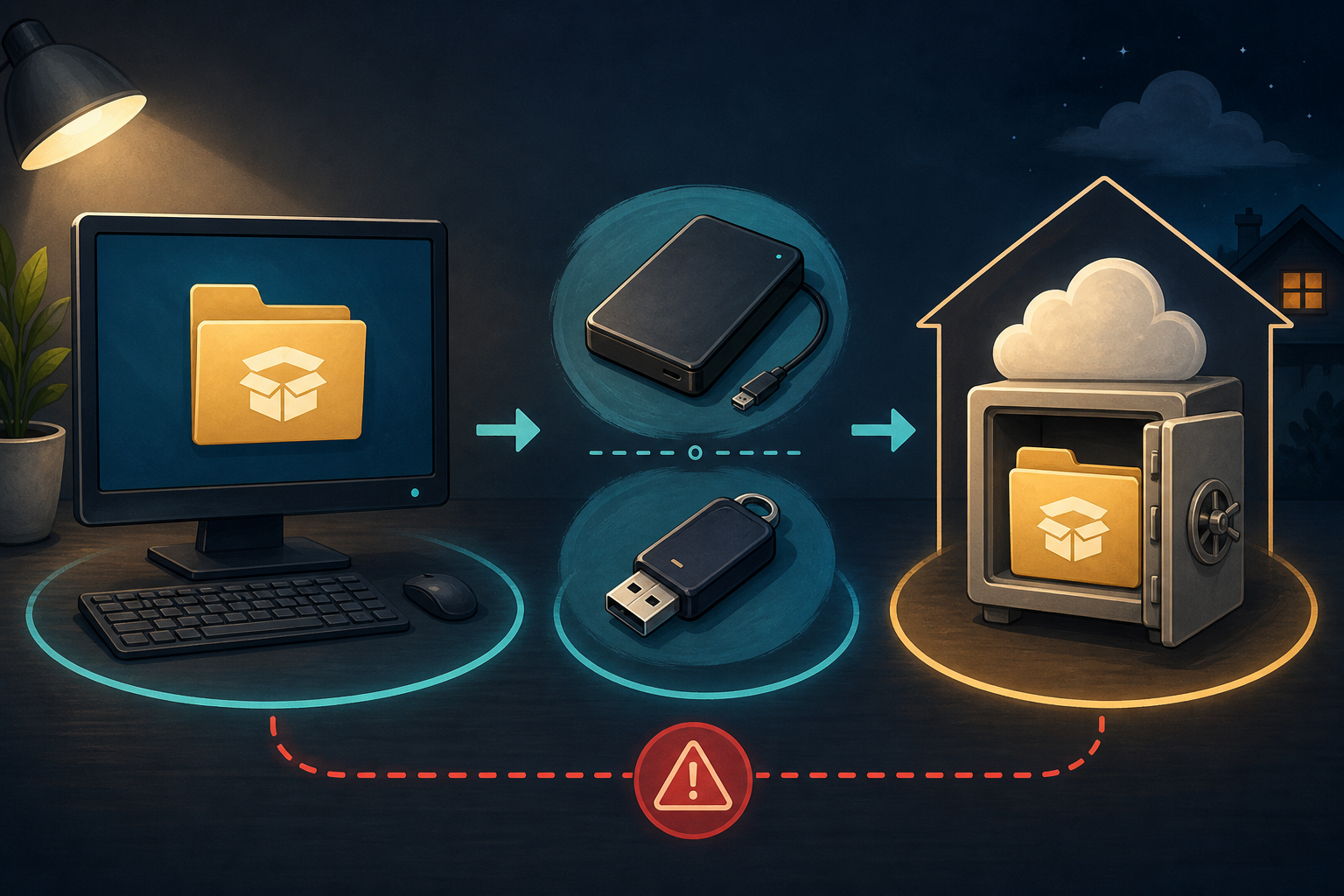
The CISA data backup guide gives the 3-2-1 rule in plain terms: keep three copies of an important file, use two different media types, and store one copy offsite. For a small classic-game library, that could mean the working archive on your computer, a copy on an external drive, and an encrypted cloud or physically separate copy.
A portable external SSD for a local backup makes sense when you want faster transfers and enough room for a growing installer collection. Choose capacity and computer compatibility first. The logo on the case will not rescue a bad folder system.
For a smaller archive, a USB flash drive reserved for backups can hold a second media copy. Label it, store it safely, and replace it if the computer begins reporting read errors. A flash drive tossed into the same laptop bag as the primary copy does not satisfy the offsite part of the plan.
The third copy can live with a trusted cloud provider or on another drive at a separate location. If you choose cloud storage, encrypt the archive when that is appropriate for your account and recovery plan. If you choose a physical drive, a small padded storage case for an external drive helps protect it from ordinary knocks, but it does not make the drive waterproof or permanent.
Verify the copy before trusting it
First, compare the file count and total folder size on the source and backup. Then open the backup folder and run the installer far enough to confirm that it starts and recognizes all required parts. If you have room, complete a clean installation in a temporary folder and launch it once. Remove that test installation afterward if you do not need it.
This step matters because a successful copy dialog proves that the computer finished a task, not that every file is readable months later. Test the local backup now, then test it again after moving to a new drive. CISA also recommends disconnecting external backup media when it is not actively in use so malware on the main computer has less opportunity to damage it.
Do not overwrite the only known-good archive as soon as GOG publishes an update. Download the new installer set into a new dated folder, test it, and retain the previous set until the new build launches normally. That is the same reason I kept old cartridges organized instead of dumping the whole 16-bit shelf into one mystery bin. Rollback is a lot less dramatic when the old copy still exists.
Keep saves separate from installers
The installer restores the game. It may not restore a local save, configuration file, mod, controller profile, or screenshot. Find where each game stores personal data and back that folder up separately. If cloud saves are enabled, treat them as a convenience copy rather than proof that every local file is covered.
Do not fold mods into the untouched installer archive. Keep a second folder with the mod source, version, instructions, and your changed files. That makes the clean installer useful for troubleshooting and avoids confusing a community patch with the original download.
If the whole retro PC corner still feels improvised, the priorities in my retro gaming setup guide still hold: solve the failure that would actually stop you from playing. Here, that failure is discovering that the one installer copy lived on the computer that just died.
My preservation routine
I would download the complete offline installer set, keep the files unchanged in a dated folder, copy that folder to a second storage type, and place one more copy offsite. Then I would test the backup and note where the saves live. Repeat the process after a meaningful game update, without deleting the last working archive immediately.
That routine is not glamorous, which is exactly why it works. Let GOG maintain compatibility, and make your own access boringly dependable.
Keep the installer, keep the save, keep playing.
Mike, the Gamer Dude